Linux Gaming on a 2012 Sony VAIO
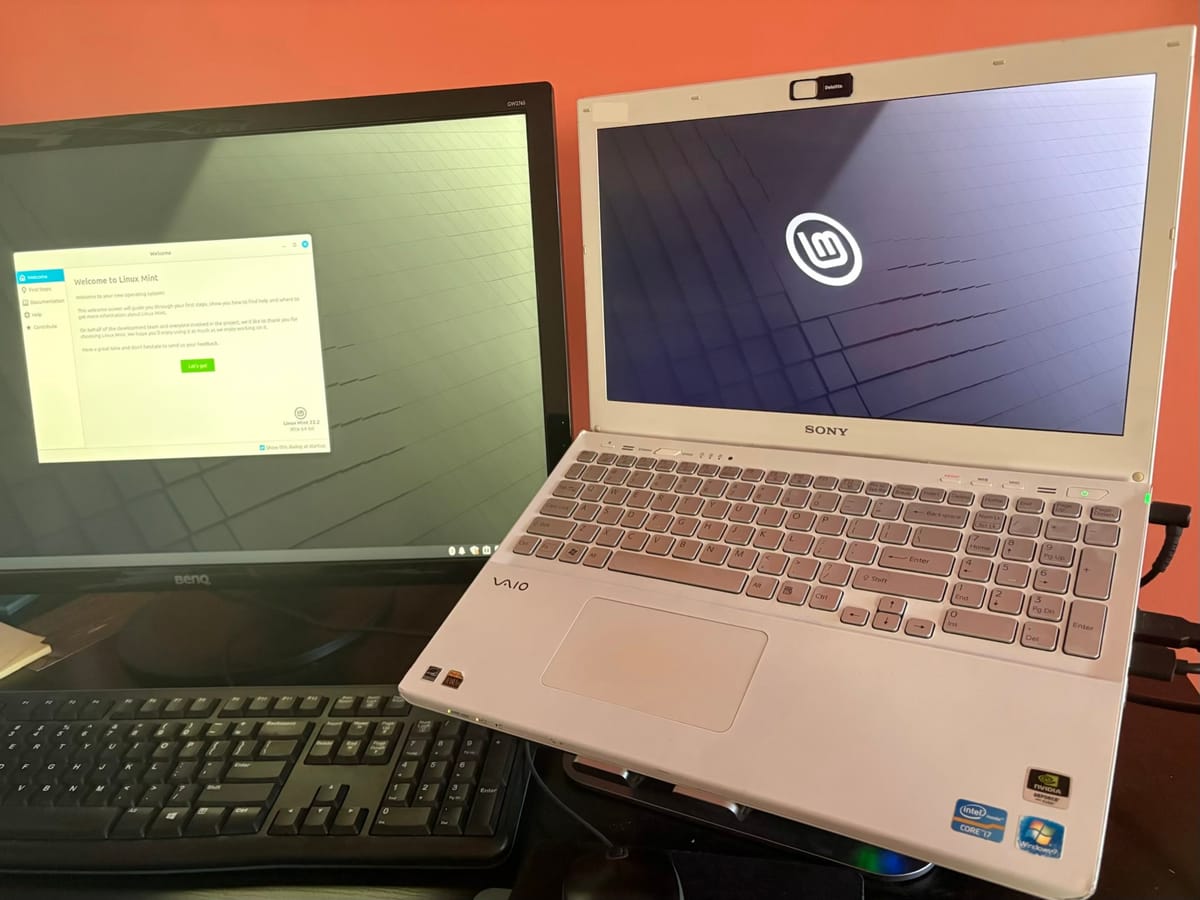
Being the masochist that I am, I took it upon myself to revive our old family laptop: a 2012 Sony VAIO Ultrabook built with a NVIDIA GT 640M. My objective was to allow the laptop to live after Microsoft announced the end of support for Windows 10. Ideally, I'd be able to make use of the 640M to run games as best a 14 year old GPU can.
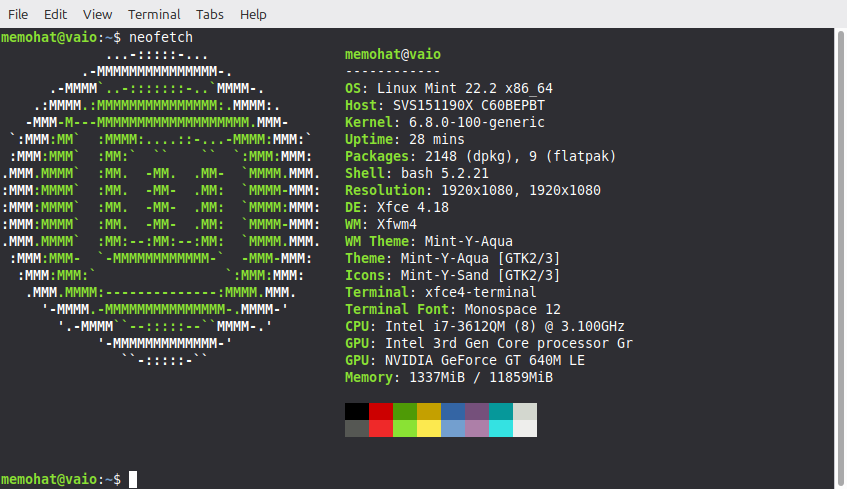
After installing Linux Mint, no easy feat due to the weird, nondeterministic errors that plagued booting from a USB on the laptop (I suspect there is some corruption with it due to errors not being reproducible), I followed the excellent guide created by Kevin on iTechWonders for Linux gaming on the 750M. This involved downgrading the kernel from 6.17 to 6.8, which contains the last compatible headers with the NVIDIA 470 drivers required by the Kepler mobile GPUs (including the 640M). While using the built in tools from Linux Mint to downgrade the kernel was easy enough, the distro has a very weird behavior of overriding the boot EFI order to always point straight at Linux Mint, not allowing you to switch to an alternate kernel or show the GRUB boot menu. This was very annoying to debug, after trying many different solutions online to determine why my grub config options weren't persisting, nothing seemed to stick. The last thing I tried, after installing rEFInd to attempt to use an alternate bootloader with no success, was to replace the bootx64.efi file directly by removing it, then copying the rEFInd EFI file to its place with the same name. This meant even when Linux Mint overrode the settings for EFI boot order, I could force rEFInd to be the bootloader and choose 6.8 for the kernel. Afterwards, with uninstalling the latest kernel, booting to 6.8 is straightforward.
Now that the 640M is being used for the graphics (after downloading the drivers and forcing the hybrid/prism options to always use the GPU regardless), the gameplay experience is... dated. The card is not a heavy hitter by 2012 standards, much less today, and getting 60 FPS on games from that generation (Portal 2) involved downgrading to 720p and setting graphics to low. Trying to run Fallout New Vegas on it was a compatibility hell, since the game itself is notoriously buggy and prone to crashes, so there wasn't much success on that front. Despite that, the card did work for the most part.
Failed to load into game:
- CS2: booted to the menu with low FPS, failed to load a bot match
Crashed midway through game:
- Fallout New Vegas: considering its a buggy port to start, running through Proton on Linux, not too surprised here
Able to play well on 720p with 60 FPS
- Stardew Valley
- Terraria
- Minecraft
- TF2
Played with ease
- Half-Life
- DOOM (Freedoom)
I was even able to get some gameplay footage through Steam's built in gameplay recording solution, and funnily enough, there wasn't an FPS drop while recording.
Terraria on 1080p didn't work well at all, and I figured I'd have to use 720p for games going forward
Stardew valley also did great
The VAIO held up TF2 well with 60fps on 720p (disregard my bad gameplay 😄)
Portal 2 ran fine (60fps) in 720p with graphics settings at lowest
Which leads me to my assessment of the laptop. Was this endeavor worth a weekend evening? Probably not, but I'm glad I did anyways. There is something satisfying with breathing new life to an old device, especially when Microsoft seems hellbent on making so many devices obsolete. I can see the VAIO be used for daily browsing, light work, and light gaming with emulation and indie titles very easily. It would be nice to be able to use it with the TV to do some couch coop or party games, but I don't think it could handle that, and even if it can, bringing a desktop to do the job would be a smoother experience.
Thanks for reading!